How to connect your VW, Audi, Cupra or Skoda vehicle to Ohme
This article applies to Ohme app version 2.21.0 and later
Jump to:
What’s changed and why
Keeping your existing connection active
Pairing your vehicle with Ohme
How to find your VIN
FAQs
What’s changed and why
We’ve been working with Volkswagen Group on an update to how Ohme connects to your VW, Audi, Cupra or Škoda – known as an API integration. Ohme uses your car’s battery level to make your smart charging smarter. Knowing your current state of charge allows Ohme to schedule the right amount of charge required to hit your target without.
Keeping your existing connection active
- Update the Ohme app. Make sure you have version 2.21.0 or later installed. You can check this in the App Store or Google PlayStore.
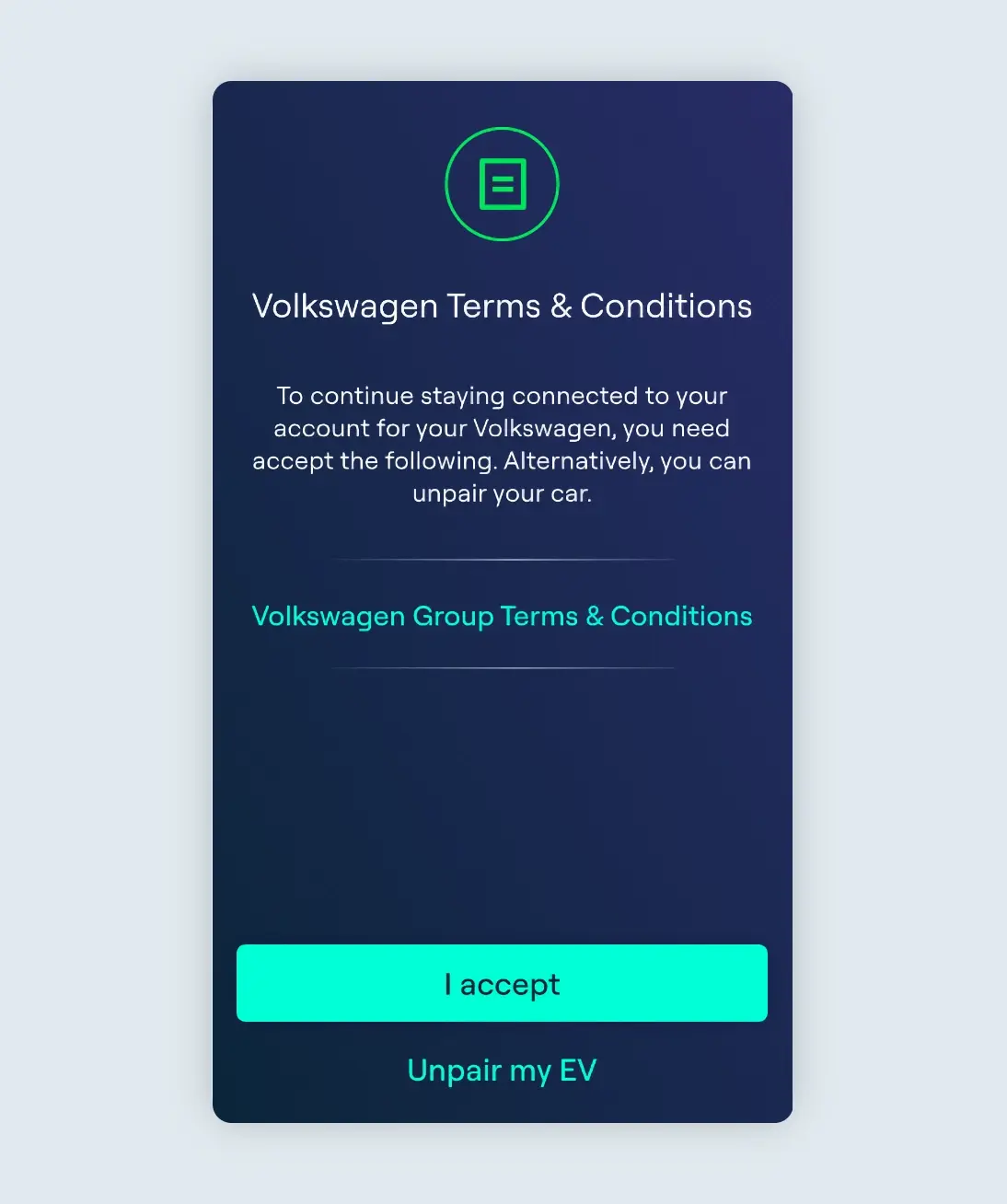
- Accept the new Terms & Conditions. When you open the updated app, you’ll be prompted to accept the new Terms & Conditions. Once you accept, migration is complete your vehicle will remain connected and everything will continue working as before.

If you do not accept the Terms & Conditions, your vehicle integration will be disconnected and Ohme will no longer be able to read your battery level automatically. For more information on smart charging without API, click here.
Pairing your vehicle with Ohme
- Update to the latest version of the Ohme app
- Go to Settings → My EVs → Select your vehicle → Tap ‘Pair my EV’
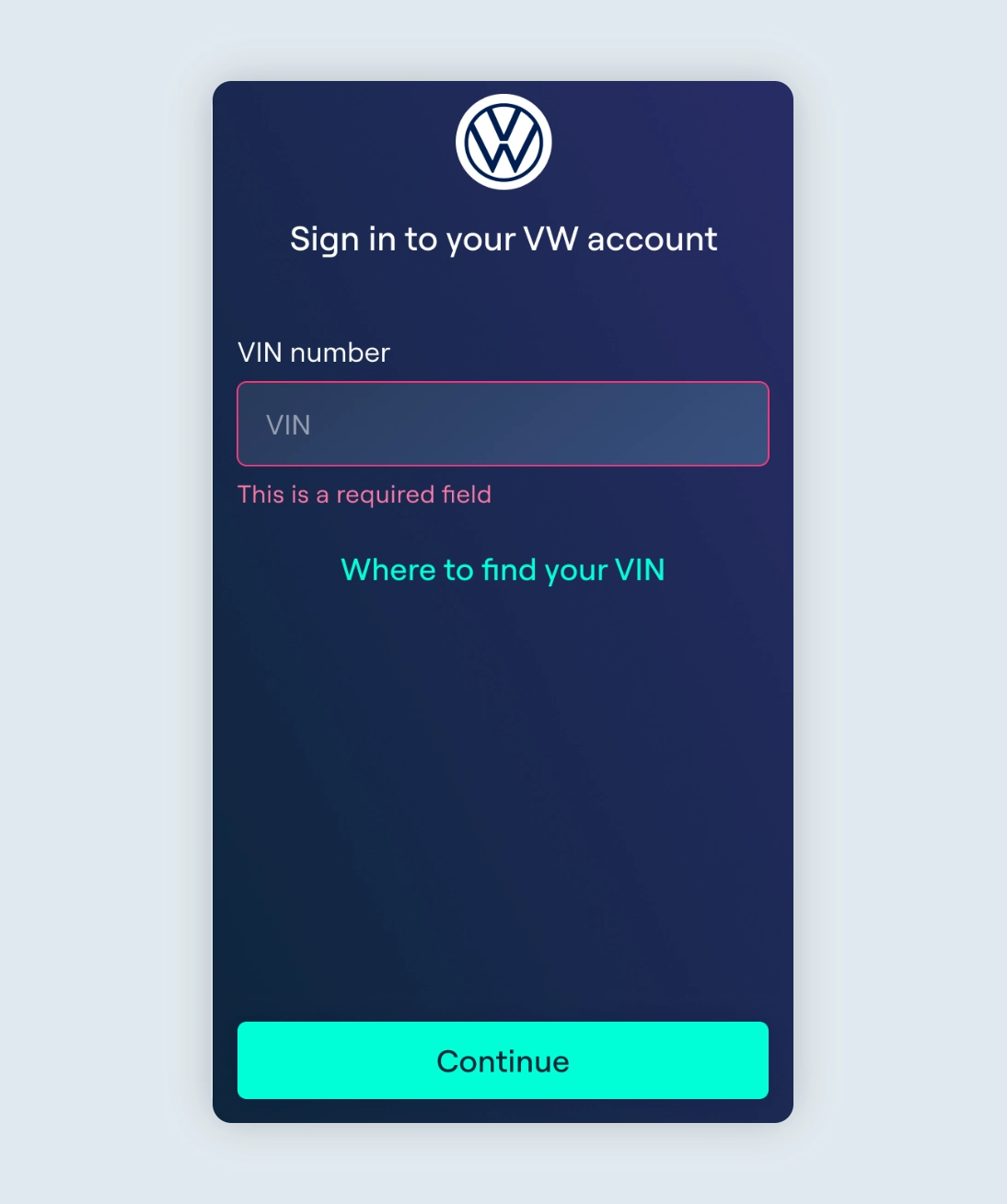
- You’ll then be prompted to enter your 17-character Vehicle Identification Number (VIN). This is the only pairing method currently available, no email or password required.
- Once your VIN is confirmed, accept the Terms & Conditions when prompted. Your vehicle will then be connected and ready to go.
How to find your VIN
Your VIN (Vehicle Identification Number) is a 17-character alphanumeric code unique to your vehicle. We recommend keeping a note of this somewhere safe so that you can refer back to this easily. If you’re unsure where to find it, check the following places:
In the vehicle:
- At the bottom corner of the dashboard, visible through the lower edge of the windscreen
- On the driver or passenger-side door pillar (the frame when the door is open)
- Stamped into the metal under the bonnet
In your documents (if you don’t have access to the car):
- V5C logbook: the VIN is listed on your registration document
- Insurance documents or service book: the VIN is typically shown on your insurance card, or on a white data sticker on the inside cover of the service manual
- Under the boot carpet: a label with the VIN is sometimes found here
Digitally:
- Your EV’s app: if you have digital connectivity set up, your VIN will be listed in your vehicle profile within the app
If you have multiple EVs, you’ll need to select the VIN of the EV you wish to pair your Ohme app with. Each EV will need to be set up and connected separately. Find out more about charging multiple EVs here.
FAQs
My battery level is showing as 0% after pairing, is something wrong?
To help resolve this, we recommend plugging your car in. This will trigger an update from VW Group and your battery level should show correctly in the app. If the issue persists, unpairing and re-pairing your Ohme app to your EV account may help to reset the connection.
I updated the app but I’m not seeing the Terms & Conditions prompt
Make sure you’ve installed version 2.21.0 or later, the prompt only appears once the new version is installed. You’ll also need to be paired already to see the prompt, so if you haven’t yet set up the connection, follow the steps above to pair your vehicle with Ohme.
If you’ve updated and still don’t see it, please get in touch with our support team via the chat button on this page.
I’m getting an error when trying to pair
If you’re getting an error when pairing, make sure to check:
- Your VIN has been entered correctly
- Your subscription with your EV’s app account is still valid.
If both of these look to be correct, contact our support team with a description of the issue you’re experiencing and we’ll investigate what’s happening with your specific connection. Alternatively, you can continue to smart charge without the API – find out how here.
Which vehicles are supported?
The new integration currently supports: Volkswagen (VW), Audi, Cupra and Škoda. SEAT support is on the roadmap and will be added in a future update.
Thanks for your feedback!